Tips for Using the Portal
Working with the Portal To Maximize Your Care
How to Upload Documents Through the Patient Portal
If you need to send labs, imaging reports, consult notes, or other clinical documents, please upload them through the Messaging section of the Athena patient portal or Athena app.
This allows your records to come directly into your chart in a secure, organized way.
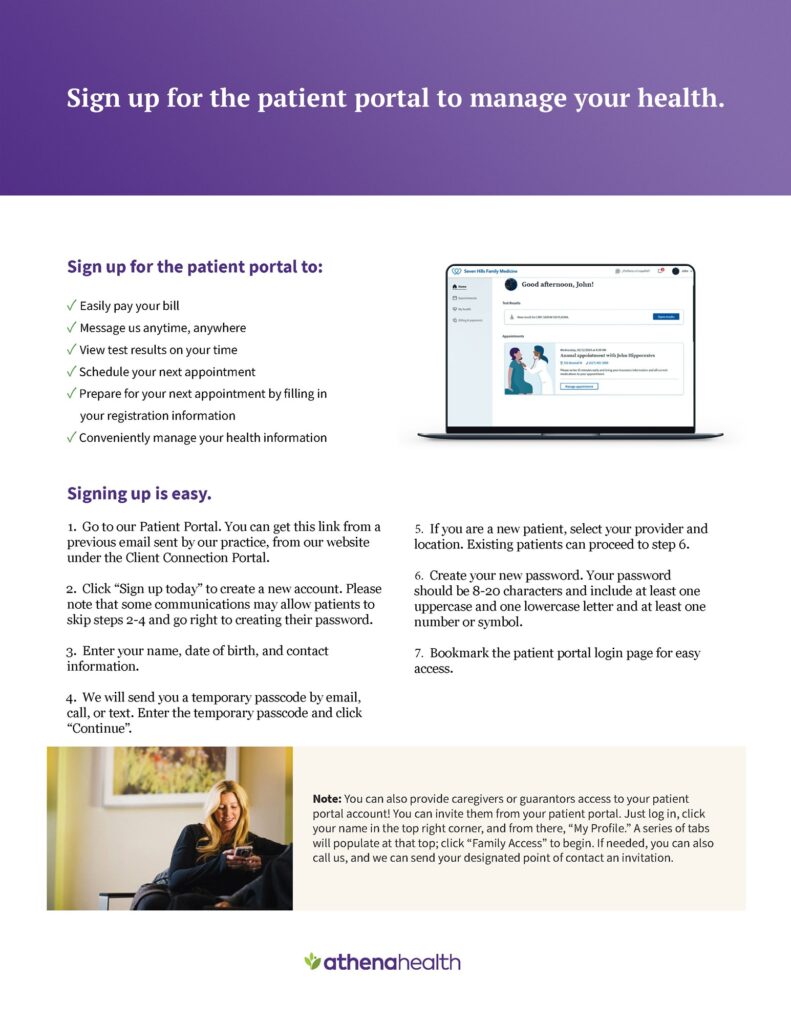
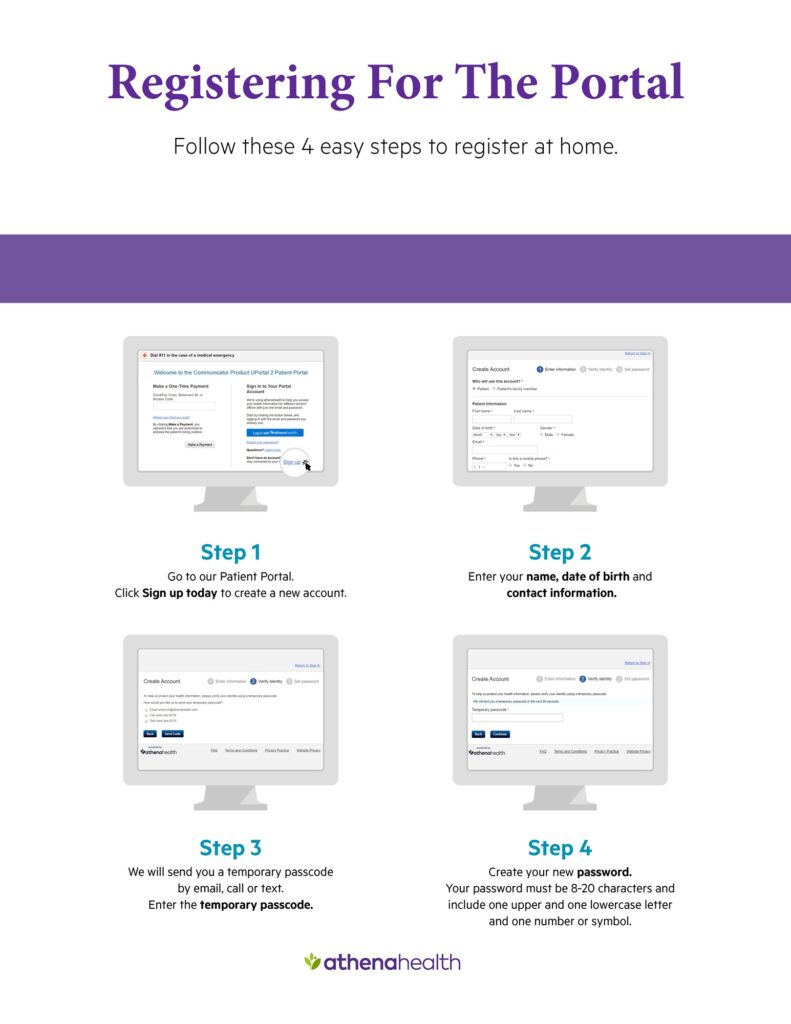
Step 1: Log in to the Athena Patient Portal or App
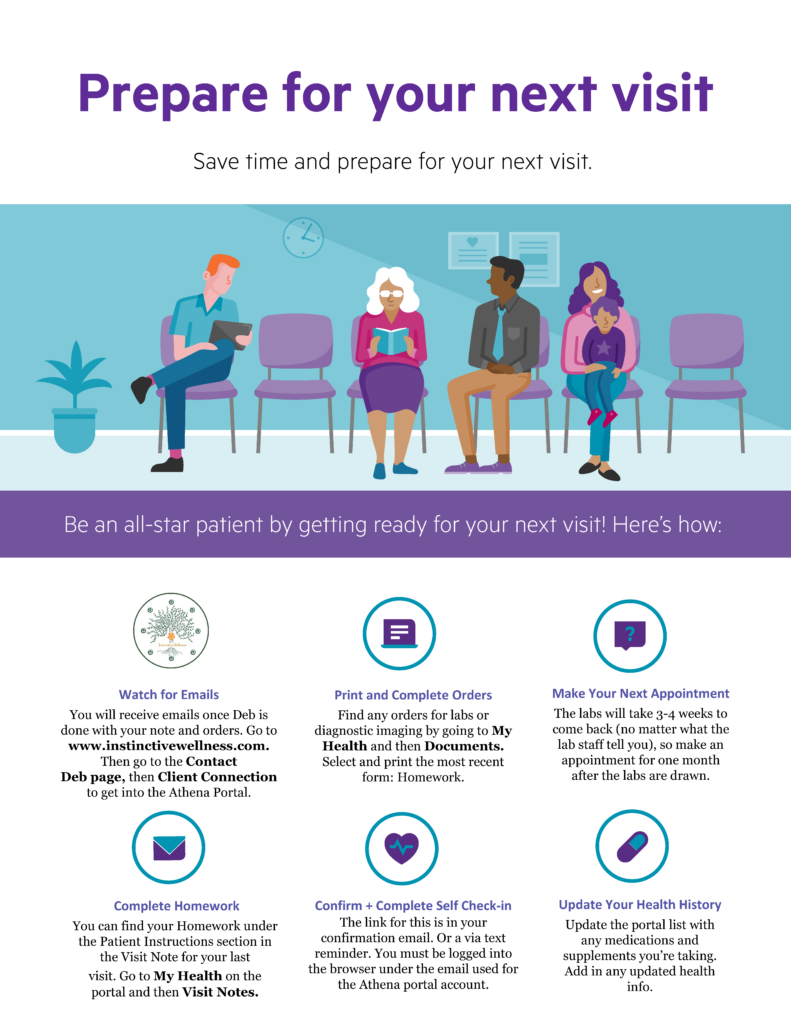
You can access the Athena patient portal through the Contact Deb page.
You may also log in through the Athena app on your phone, or from a web browser on your computer, tablet, or phone.
Step 2: Go to the Messaging Section
Once you are logged in, go to the Messages section of the portal or app.
Choose the option to send a message to the practice.
A message template will load. Please complete all required fields so the message will send successfully.
Step 3: Attach Your Files
Under the body of the message, you should see the option to attach files.
Accepted file types: PDF, JPG, PNG
Each file may be up to 10 MB.
You may upload up to 10 files per message.
Attachments are for clinical documents only. Please do not upload images of credit cards, payment information, or other financial information.
What to Upload Before an Initial Appointment
For initial appointments, please upload records that are relevant to your current symptoms and health concerns.
Helpful records include:
- Labs from the last 2 years
- Relevant diagnostic imaging reports
- Recent specialist or consult notes related to your current symptoms
You do not need to upload unrelated routine records unless they are connected to your current concerns.
For example, unless directly related to your symptoms, we generally do not need:
- Mammogram reports
- Pap smear results
- Unrelated imaging reports
- Old records that are not relevant to the reason for your visit
How to Name and Organize Files
Please name files clearly before uploading them.
Helpful examples:
- Labs 4-12-2025
- Thyroid labs 2024
- Cardiology note 6-3-2025
- Brain MRI report 2023
- GI consult 2024
Files must be named before they are uploaded, especially if several files are being uploaded. This can be done on iPhones, Android phones, tablets, or computers.
Please Combine Related Pages When Possible
Please combine related pages into one file whenever possible. This will save time for you in the end.
Examples:
- Labs from the same date of service should be combined into one file.
- A multi-page imaging report should be combined into one file.
- A multi-page consult note should be combined into one file.
- Serial notes from the same provider may be combined if they are clearly related.
Please do not combine unrelated records into one large file.
For example, do not combine labs, imaging, and specialist notes from different dates into one file unless they are part of the same report or same clinical record set.
Tips for Uploading From Your Phone
You may upload files from your phone through the Athena app or through the patient portal in your phone’s web browser.
If you are taking pictures of paper records:
Place the document on a flat surface.
Use good lighting.
Take the picture straight on, not at an angle.
Hold your phone upright.
Make sure the entire page is visible.
Check that the image is readable before uploading.
If the phone is turned sideways, the image may upload sideways and be difficult to read.
If Your File Is Not a PDF, JPG, or PNG
Many files can be saved or exported into an accepted format.
For example:
- Word documents can usually be saved as PDFs.
- Excel files can usually be saved as PDFs.
- Photos can usually be saved as JPG or PNG files.
For Excel files, please check the formatting before saving as a PDF. You may need to adjust the columns, page layout, or margins so the information is readable.
Why We Ask Patients to Upload Their Own Records
We recognize that uploading records can take time, especially if you have a complex history or a large number of documents.
However, these records are an important part of your care. They help us understand your health patterns, prior testing, diagnoses, treatment history, and possible contributors to your current symptoms.
Instinctive Wellness is a small practice designed around extended, individualized visits. We do not have the staffing structure of a large medical office, and we do not routinely request or process records from other offices on your behalf. This is intentional as front office staff would greatly increase costs to clients.
If there are outside records you want reviewed, it is your responsibility to obtain those records and upload them through the portal.
If you need help with the technology, please ask a family member, friend, or other support person to assist you.
Sharing Records From Instinctive Wellness With Other Providers
Records from the care you receive at Instinctive Wellness are available through your Athena patient portal.
You may use the portal to access and share those records with other providers as needed.
- Select My Health from the left side of the screen.
- Select the Health Records tab near the top of the page.
- Choose the date range you want included.
- Choose whether you want to download, email, or exchange your records directly with another provider.
Thank you for taking an active role in your care. Clear, organized records help make your visits more productive and allow us to use your appointment time as effectively as possible.